
Remote work has changed how we live—and how our bodies feel at the end of the day. If you’re noticing neck stiffness, upper back tension, or lower back pain, you’re not alone. Long hours at a laptop, fewer movement breaks, and makeshift home workstations can quietly overload your spine.
The good news: most remote-work–related pain is highly treatable with the right mix of ergonomic changes, targeted movement, and hands-on care.
Why Remote Work Causes Neck & Back Pain
When you work from home, your setup often isn’t designed for all-day use. Common issues include:
- Laptop-only work → screen too low, causing forward head posture
- Soft seating (couch/bed) → poor lumbar support
- Prolonged sitting → reduced circulation and muscle fatigue
- Minimal movement → joints become stiff, tissues sensitive
Over time, this leads to:
- Tight neck and shoulder muscles
- Stiff mid-back (thoracic spine)
- Strain in the lower back (lumbar spine)

The Most Common Pain Patterns We See
1. Forward Head & Neck Tension
Your head drifts forward toward the screen, increasing strain on the neck muscles.
Symptoms:
- Neck stiffness
- Headaches
- Pain between shoulder blades
2. Rounded Upper Back (Postural Fatigue)
Sitting without support encourages a slouched posture.
Symptoms:
- Upper back tightness
- Shoulder discomfort
- Reduced mobility when twisting or reaching
3. Lower Back Compression
Sitting for long periods compresses spinal structures and weakens support muscles.
Symptoms:
- Achy or sharp lower back pain
- Stiffness after sitting
- Discomfort when standing up
Quick Ergonomic Fixes That Actually Work
You don’t need a full office remodel—just a few high-impact adjustments:
✔️ Raise Your Screen
Top of your monitor should be at eye level
→ Use a laptop stand or stack of books
✔️ Support Your Lower Back
Add a lumbar support (or rolled towel)
→ Keeps your spine in a neutral position
✔️ Use an External Keyboard & Mouse
Prevents shoulder elevation and wrist strain
✔️ Feet Flat on the Ground
Or use a footrest
→ Reduces tension through your hips and back
Movement Is the Real Game-Changer
Even with a perfect setup, staying still is the problem.
Follow the “30–60 Rule”:
Every 30–60 minutes:
- Stand up
- Walk for 1–2 minutes
- Do a quick stretch
3 Simple Exercises for Immediate Relief
1. Chin Tucks (Neck Reset)
- Sit tall
- Gently pull chin straight back (not down)
- Hold 3–5 seconds
- Repeat 10 times
Why it helps: Restores proper neck alignment
2. Thoracic Extension (Posture Fix)
- Sit in a chair
- Place hands behind head
- Gently lean back over the chair
- Hold 5–10 seconds
Why it helps: Opens the chest and reduces upper back stiffness
3. Standing Back Extension
- Stand upright
- Place hands on hips
- Gently lean backward
- Hold 3–5 seconds
Why it helps: Relieves pressure from prolonged sitting
When to Seek Professional Help
If your pain:
- Lasts more than 1–2 weeks
- Radiates into your arms or legs
- Causes numbness or tingling
- Limits your daily activity
…it’s time for an evaluation.
How Physical Therapy Helps Remote Work Pain
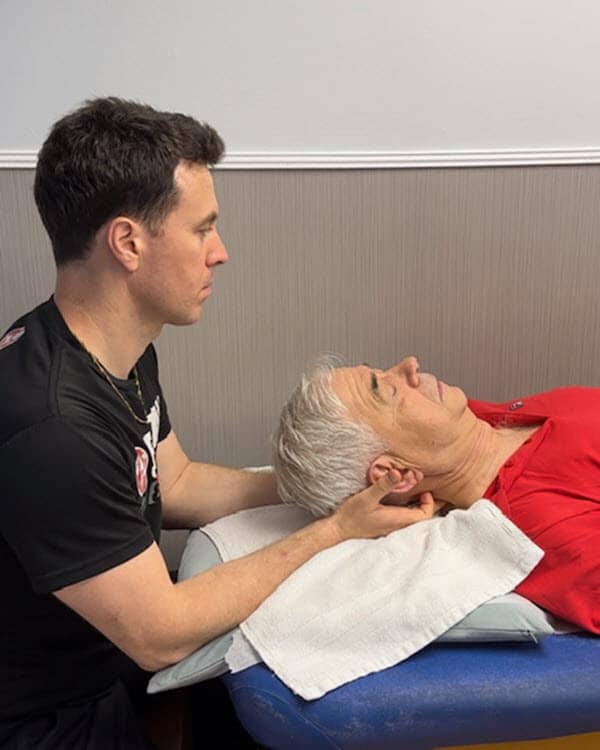
At Gramercy Physical Therapy, we take a one-on-one, hands-on approach to treating neck and back pain related to remote work.
Treatment may include:
- Manual therapy to reduce stiffness and improve mobility
- Movement assessment to identify the root cause
- Targeted exercises tailored to your body
- Ergonomic guidance specific to your home setup
Unlike high-volume clinics, you work directly with a licensed physical therapist throughout your session—so nothing gets overlooked.
Long-Term Strategy: Don’t Just “Sit Better”—Move Better
The goal isn’t perfect posture all day. It’s varied movement.
Think:
- Sit → Stand → Walk → Stretch → Repeat
Your spine is designed to move—not stay locked in one position.
Final Thoughts
Neck and back pain from remote work is incredibly common—but also very manageable. Small changes to your setup, combined with consistent movement and the right treatment, can make a significant difference in how you feel each day.
If your symptoms aren’t improving, getting the right guidance early can prevent a minor issue from becoming a long-term problem.
FAQs
Q: Can working from home cause neck and back pain?
Yes. Poor ergonomics, prolonged sitting, and limited movement can lead to muscle strain, joint stiffness, and postural issues.
Q: How do I fix neck pain from laptop use?
Raise your screen to eye level, use an external keyboard, and perform regular posture resets like chin tucks.
Q: What is the best position to sit while working?
Sit with your feet flat, back supported, and screen at eye level. Avoid slouching or leaning forward for long periods.
Q: When should I see a physical therapist for back pain?
If pain persists beyond 1–2 weeks, worsens, or affects your daily function, a physical therapy evaluation is recommended.